How to Report an Account on TikTok?

Maxime Dupré
9/15/2026
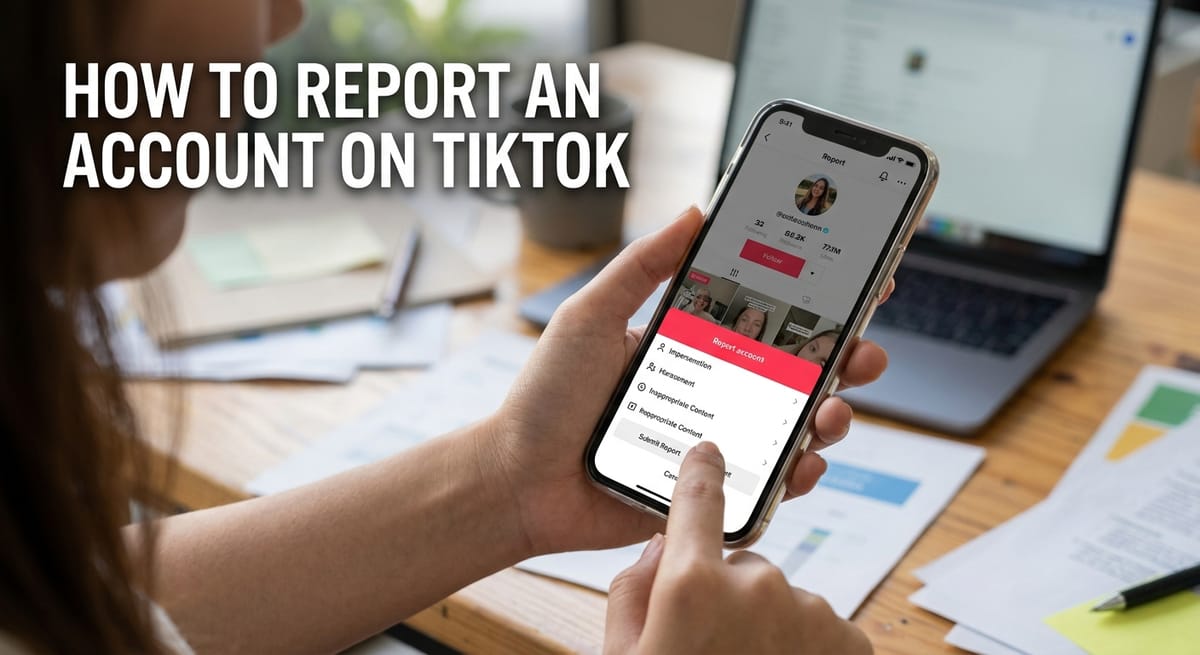
Some profiles cross a line. One copies your name and photos. Another pushes adult material into your feed. TikTok gives you a report button for both cases. This guide covers how to report an account on TikTok from the app, from a browser, and through the separate forms TikTok uses for impersonation claims.
What Counts as a Reportable Account on TikTok
TikTok runs on a rulebook called the Community Guidelines. Every profile agrees to it at signup. Break it and other users can flag the account.
The breaches that come up most often look like this:
- A profile pretends to be you, a brand, or a public figure
- The user targets others with harassment, threats, or hate speech
- Posts carry sexual, graphic, or otherwise adult material
- The account runs scams, spam, or fake giveaways
You do not need evidence beyond what sits on the screen. Pick the reason that fits and submit. Moderators take it from there.
If the person is more of a nuisance than a rule breaker, a report may be the wrong tool. Our guide on limiting what a user can see and do on your profile covers the softer options.
How to Report an Account on TikTok in the App
The phone app handles this in under a minute. Open TikTok and pull up the profile you want flagged.
- Go to the user’s profile page.
- Tap the Share icon near the top right.
- Tap Report.
- Tap Report account.
- Choose the reason, then tap Submit.
That closes the loop. TikTok never tells the reported user who filed the complaint, so you can report an account on TikTok without your name attached.
Worth doing at the same time: tighten your own comment filters so the same person cannot keep posting under your videos while the case sits in review.
How to Report an Account on TikTok From a Desktop Browser
The website works the same way. Only one step differs.
- Sign in at tiktok.com and open the profile.
- Click the More options button at the top of the page.
- Click Report.
- Click Report account.
- Pick your reason and click Submit.
The app uses the Share icon at that second step. The desktop site uses More options. Everything after that matches.
One clip is a different job from a whole profile. When a single upload is the problem, follow the steps for flagging an individual TikTok video instead, since the reason list is built for content rather than accounts.
How to Report an Account on TikTok for Impersonation
Fake profiles run through a different channel. The in-app button is not built for identity theft, so TikTok routes these claims to a web form.
Which form you use depends on where the reported profile is based. Accounts inside the United States go through the Submit a request form. Accounts anywhere else go through the Send feedback form.
Be specific when you fill it in. List every fake handle in one submission, explain how the copying works, and attach ID if the form asks for it. Vague reports stall.
Copycats usually target profiles with an audience, which makes a blue verification badge useful once you qualify. Locking down your logins helps too, and our notes on creator account security walk through the basics.
When a Fake Profile Posts Intimate or Explicit Media
Some impersonation cases go past a stolen photo. A fake profile might share private images the subject never agreed to publish, or post sexually explicit deepfakes.
Those go to TikTok’s dedicated abuse report form, not the standard impersonation route. Sending it there puts the case in front of the team trained to act on it fast.
What Happens After You Report an Account on TikTok
A moderator reviews the report against the Community Guidelines. Outcomes range from a single video being pulled from the For You feed to a full account ban.
You will not get a case file. TikTok may send a short in-app notice about the result, and the reported user gets told which rule they broke, never who reported them.
While you wait, it helps to shrink your own exposure. Switching to a private TikTok profile keeps strangers off your content, and you can hide who you follow so a harasser cannot map your circle.
Repeat trouble in your comments calls for keyword controls. Setting up muted words stops the same insults before anyone reads them.
FAQs
What happens when you report an account on TikTok?
A moderation team reviews the profile against the Community Guidelines. Content may be removed, limited in the feed, or the whole account banned. You may receive a short notification about the decision.
Does TikTok tell you who reported your account?
No. TikTok tells the reported user which rule was broken but never shares the reporter’s identity. Reports stay anonymous on both the app and the website.
How many reports does it take to delete a TikTok account?
There is no set number. TikTok reviews the content itself, not the report count. One valid report of a serious breach can remove an account faster than hundreds of weak ones.
Do Reddit mass reporting threads get TikTok accounts banned?
Rarely. Reddit users who organise mass reports often find nothing happens, because volume alone does not trigger removal. TikTok weighs whether the content actually breaks its rules.
How long does TikTok take to act on a report, according to Reddit users?
Reddit posts describe anything from a few hours to roughly a month, with impersonation forms taking longest. Detailed submissions listing every fake handle tend to resolve faster.