How to Verify Your TikTok Account

Maxime Dupré
8/5/2026
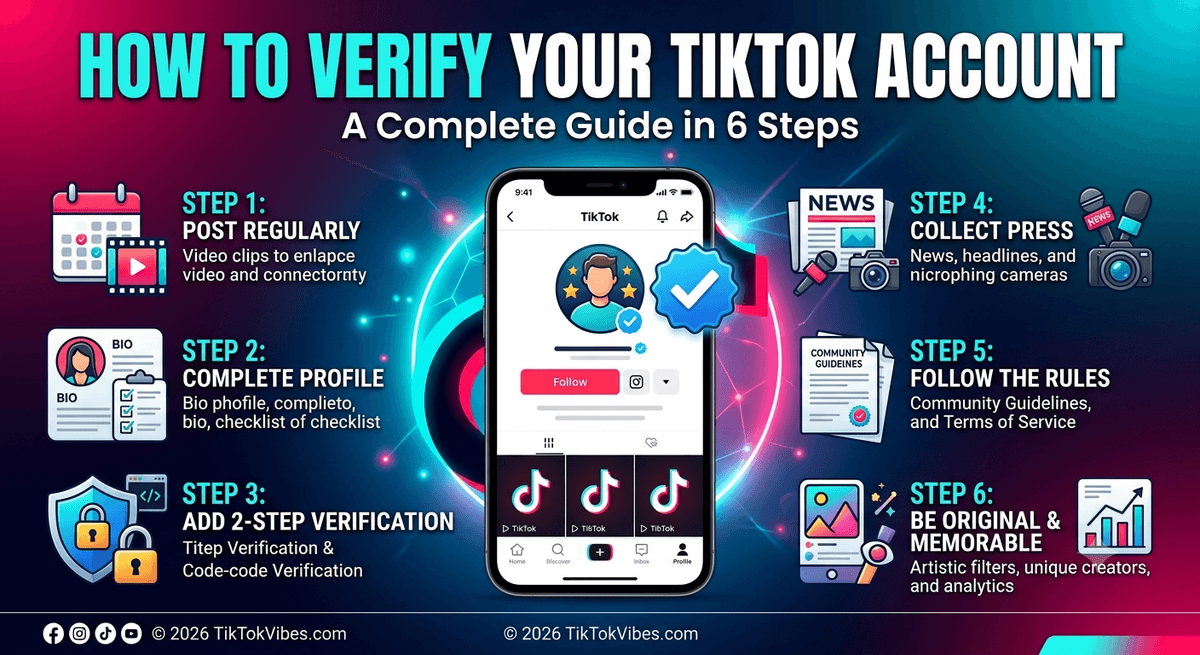
How to Verify Your TikTok Account in Six Steps
TikTok hands out blue badges to accounts it treats as notable. There is no application form and no queue. The app decides on its own. TikTok has published what it looks for, though, and that list is public. Work through the six steps below and you cover every box TikTok checks before it verifies an account.
| Detail | Info |
|---|---|
| Difficulty | Hard |
| Time needed | About 1 hour |
| Gear required | A phone or tablet with the TikTok app |
Step 1: Sign In Regularly and Post on a Schedule
TikTok counts an account as active when the owner has logged in at least once in the past six months. That bar sits low. On its own it will never pull the attention a badge needs.
Posting matters more. TikTok points creators toward three to five videos a week while they build an audience. If your clips keep stalling at low view counts, the cause is usually fixable.
Ten uploads in one day followed by three weeks of silence reads worse than a steady three per week.
Step 2: Prove You Are Authentic and Fill In Your Profile
Authentic, in TikTok’s wording, means a real person or a real company sits behind the page. Businesses can back that up by keeping their website and TikTok page visually consistent.
Your profile also has to be complete and public. Add a name, a photo, a short bio, and at least one video. Before you switch to public, read up on what a fully open profile gives away.
| Order | Tap this |
|---|---|
| 1 | Profile icon |
| 2 | Menu icon (three stacked lines) |
| 3 | Settings and privacy |
| 4 | Privacy |
| 5 | Slide the Private account switch off, so it turns gray |
| 6 | Confirm |
Step 3: Add 2-Step Verification and Confirm Your Email
Badges exist so viewers can tell an official page from a copycat. TikTok cares that you are who you claim, and that nobody else can open your account.
Two-step verification adds one check after your password. A short code lands on hardware only you hold, usually your phone. A stranger with your password still cannot get inside. Login protection for creators closes the gap that most takeovers walk through.
| Order | Tap this |
|---|---|
| 1 | Profile |
| 2 | Menu icon (three stacked lines) |
| 3 | Settings and privacy |
| 4 | Security and login |
| 5 | 2-step verification, then follow the prompts |
Step 4: Collect Press Coverage
TikTok expects you to be notable, and press coverage is how it measures that. Reporters should have written about you more than once. The app also spells out what will not count.
| Counts as press | Does not count |
|---|---|
| Independent news reporting, repeated | Paid or sponsored write-ups |
This hurdle is steep. It almost suggests you must already be a name people search for. Getting found starts earlier than that, and ranking inside TikTok search is the more realistic first move.
Step 5: Follow the Rules TikTok Sets
Obvious, this one. Everyone follows the rules, badge or no badge. Anyone hoping for a checkmark has to stick to TikTok’s community guidelines and the terms of service.
Strikes on your record can rule you out even when the rest of your account lines up.
Step 6: Give People a Reason to Remember You
Originality sits among the factors TikTok weighs, though the company says little beyond that word.
Think about badge holders who are neither actors nor singers. Elyse Myers tells stories from her own life in a way nobody copies. Alexis Nikole Nelson posts foraging clips that teach and entertain at once. Niche creators pull this off too, as this list of gaming creators with recognisable styles shows.
Let your clips carry whatever sets you apart. Your analytics will show which posts held attention longest, and that pattern is worth repeating.
What a Verified TikTok Account Actually Gets You
The blue check tells viewers the page is real. It cuts down impersonation and makes brand outreach easier to trust.
It does not unlock monetization or extra tools. Payouts, live streaming, and shop access run on separate criteria. Follower thresholds for going live, for instance, have nothing to do with verification.
FAQs
Can you apply to verify your TikTok account?
No. TikTok does not accept applications for the blue badge. Its team picks accounts on its own. Any site or email offering to submit a verification request for you is a scam.
How many followers do you need to get verified on TikTok?
TikTok publishes no follower minimum. Notability comes from repeated independent press coverage, not follower count. Accounts with millions of followers stay unverified, while smaller accounts with news mentions sometimes get the badge.
How long does TikTok verification take?
There is no timeline, because there is no queue to join. TikTok reviews accounts when it chooses to. Some creators wait years. Others get verified within weeks of heavy news coverage.
Can you lose a verified badge on TikTok?
Yes. TikTok removes badges for guideline violations, sustained inactivity, username changes, or major shifts in what the account posts. The badge is not permanent once granted.
Does TikTok charge for a verified badge?
No. Verification is free. TikTok never asks for payment, gift cards, or login details in exchange for a badge. Requests like that come from phishing accounts.