How to Post a Draft on TikTok?

Maxime Dupré
9/29/2026
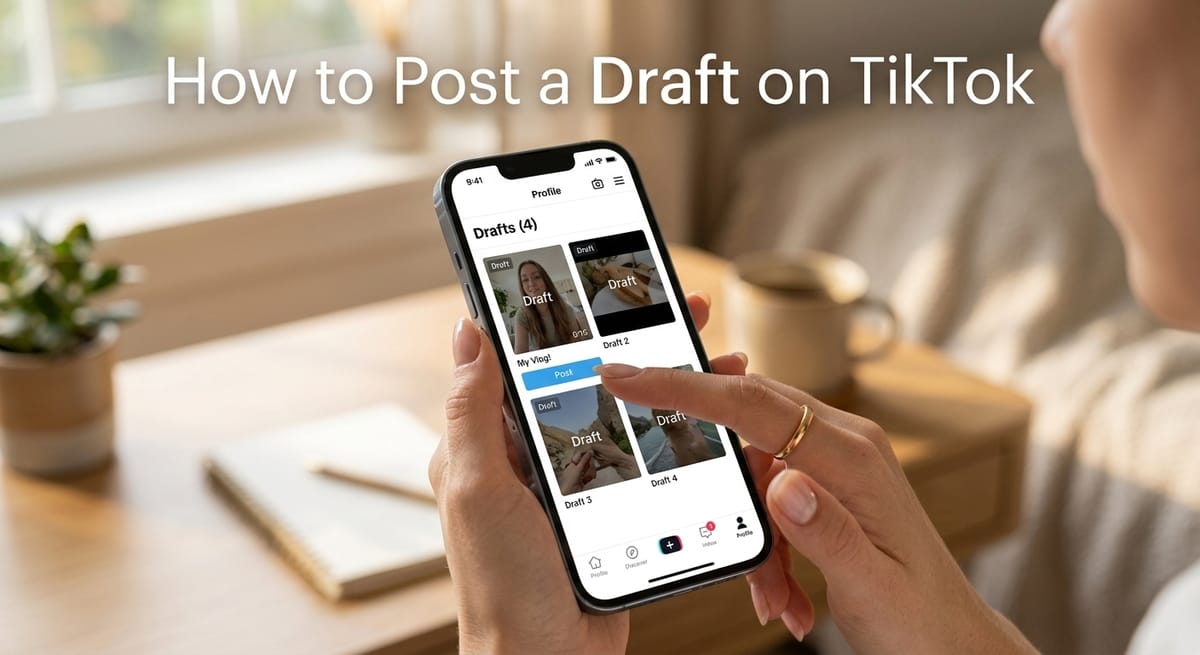
You filmed a clip, parked it in Drafts, and now it’s ready to go. Posting a draft on TikTok takes five taps from your Profile page.
Drafts stay hidden until you press Post. TikTok Support confirms that only you can see them. The steps below match the TikTok app as of September 2026, along with fixes for drafts that refuse to upload.
How to Post a Draft on TikTok in 5 Steps
The whole process follows one path: Profile, Drafts, editor, then the post page. Here’s what you see at each stop.
Step 1: Open the Drafts Tile on Your Profile
Launch TikTok and tap Profile. It’s the icon at the far right of the bottom bar.
Your video grid loads next. The Drafts tile sits first, ahead of your published clips. Tap it, then pick the clip you want to share.
Step 2: Make Final Edits in the Editor
The draft opens in the TikTok editor with your earlier edits still in place. You can swap filters, add text, drop in stickers or change the sound.
Want viewers to send you questions? Here’s how a question sticker works on a TikTok clip.
When the clip looks right, tap Next in the lower right corner.
Step 3: Write the Caption, Hashtags and Location
The post page opens. Add a caption, a few hashtags that match the topic, any @mentions, and a location if it fits the clip.
Short captions tend to do better. TTS Vibes reported that captions under 100 characters recorded 21% higher engagement, according to its caption length research.
Read the caption over once. Typos are easier to fix here than after the clip goes live.
Step 4: Choose Who Can Watch the Draft
Tap “Who can watch this video.” TikTok gives you three options:
Everyone: any TikTok user can see the clip.
Friends: followers you follow back.
Only you: the clip stays private.
A funny clip might suit everyone. Something personal can stay with friends. To hide the whole account and not just one upload, follow the steps for making your TikTok profile private.
Step 5: Tap Post
Press the red Post button near the lower right edge. TikTok uploads the clip and removes it from your Drafts folder. It then appears in your profile grid for the audience you picked.
Not ready to publish yet? You can schedule the post for a later date through TikTok Studio.
Where Are TikTok Drafts Saved Before You Post Them?
TikTok keeps drafts on your phone, not in your account. Vista Social points out that drafts won’t show up if you log in on a new device.
This matters before you switch phones or reinstall the app. Deleting TikTok can wipe every clip you never posted.
A backup solves it. Our guide on saving TikTok drafts to your camera roll covers the private-post method on iPhone and Android.
Can You Post a TikTok Draft to Your Story?
Yes. Open the draft from the Drafts tile. In the editor, tap Your Story instead of Next.
Stories disappear after 24 hours and don’t stay in your main grid. Choose Next and Post if you want the draft to remain on your profile.
Why TikTok Won’t Let You Post a Draft
Some creators get a “Couldn’t upload post. Saved to drafts” notice. The clip stays in the folder, and nothing goes live. The same few causes come up again and again.
Low phone storage. Drafts live on the device, so a full phone can block the upload.
A removed sound. If the audio left TikTok’s library, the upload can fail with a message that the content is no longer available.
An old app version or a full cache. Clear the cache under Settings and privacy, then update TikTok.
Too many uploads at once. Some creators report short posting blocks after publishing a large batch of drafts back to back.
For the sound problem, swap the track. This walkthrough on adding a new song to your TikTok covers the in-app library and your own audio.
Does Posting a Draft on TikTok Get Fewer Views?
TikTok has not said that draft age affects reach. The claim spreads through creator videos, and those videos contradict each other.
Relevance counts for more. A draft saved months ago may carry a sound that stopped trending, or a caption tied to an old event.
Before posting, replace dated audio and refresh the caption and hashtags. If views still stall, check the usual causes in our breakdown of why TikTok videos get zero views.
Keywords help older drafts too. Terms in your caption and on-screen text feed TikTok search optimization, so the clip can surface in search long after it goes live.
FAQs
How do I post a draft on TikTok?
Tap Profile, open the Drafts tile and select a clip. Make any edits, tap Next, add a caption, choose who can watch and press Post. The clip then leaves Drafts and appears on your profile.
Why can’t I see my TikTok drafts on a new phone?
TikTok saves drafts on the device where you made them, not in your account. A new phone or a fresh install won’t show them. Save each draft to your camera roll before switching devices.
Does Reddit say posting TikTok drafts lowers views?
Reddit threads on this topic share personal stories, not measured data, and they disagree. TikTok has published no rule that penalizes drafts. Timing, audio and topic relevance have a clearer effect on views.
What happens to a TikTok draft after you post it?
TikTok removes the clip from your Drafts folder and adds it to your profile grid. Only the audience you chose under “Who can watch this video” will see it.
Can I post a TikTok draft so only I can see it?
Yes. Set “Who can watch this video” to Only you before tapping Post. Turn on Save to device under More options to keep a copy in your phone’s gallery.