How To Schedule A TikTok Post?

Maxime Dupré
9/16/2026
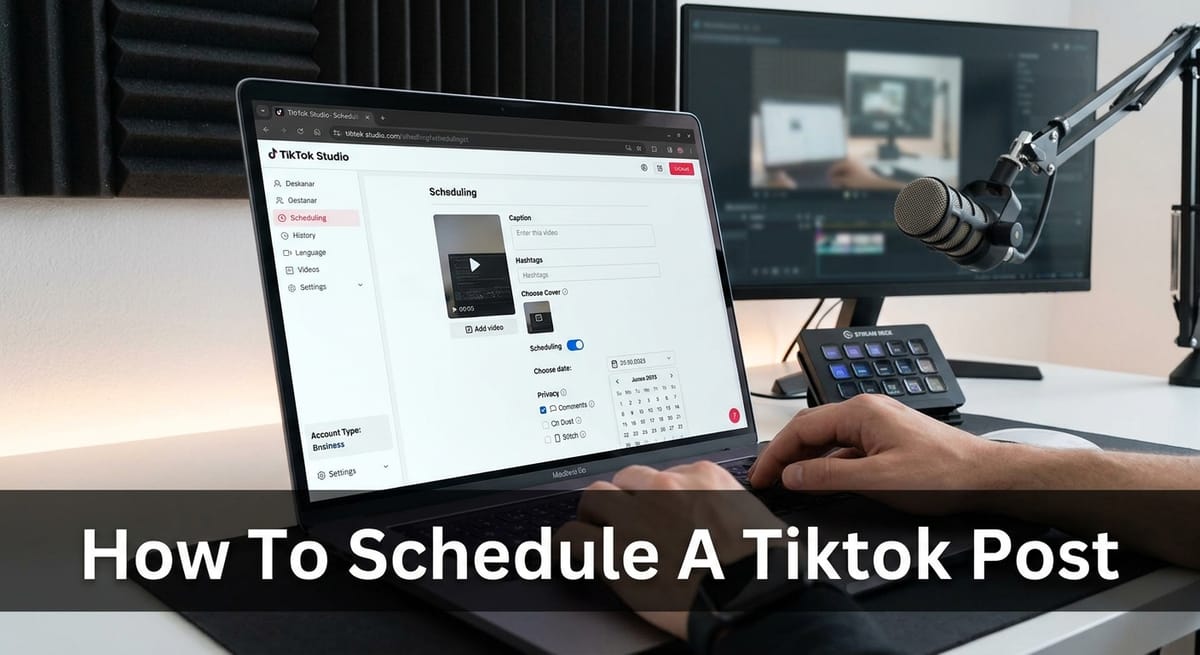
TikTok runs its own Video Scheduler inside TikTok Studio. It queues a clip so it publishes on its own, with no outside app involved. Two things are required: a computer and a Business or Creator account. The booking window runs from 15 minutes ahead to 10 days out.
Can You Schedule a TikTok Post Without Third-Party Tools?
Yes. The scheduler sits inside TikTok Studio at tiktok.com and costs nothing. Personal profiles never see the toggle.
Anything beyond ten days needs an outside scheduler. For most creators, ten days covers a full week of filming with room to spare.
Steady uploads matter more than perfect ones. Queueing in advance takes the daily scramble out of publishing, which is usually what breaks a posting streak.
What You Need Before You Schedule a TikTok Post
- Account type: Business or Creator, not personal
- Device: a desktop or laptop, through tiktok.com
- Browser: Chrome, Firefox or Safari
- Format: video only, no photo carousels or LIVE
- Cost: free
Switching account types takes under a minute through Settings > Account. Our walkthrough on how to switch to a TikTok Business Account covers each screen, and the change reverses whenever you want.
Some creators dislike the Commercial Sounds limit that comes with a Business profile. You can return to a personal profile at any point, though the scheduler disappears with it.
How to Schedule a TikTok Post Step by Step
- Sign in at tiktok.com on a computer, then open TikTok Studio and click Upload.
- Select your file, write the caption, add hashtags, and choose a cover frame.
- Set privacy plus comment, Duet and Stitch permissions.
- Scroll past those controls, switch Schedule on, then pick a date and time.
- Click Schedule to lock it in.
Spend real attention on step three. Those permissions freeze the moment the post enters the queue.
The time picker follows your computer’s clock, so check the zone if you travel. Export at the correct TikTok video dimensions first, because a cropped upload cannot be swapped out later.
Managing Videos After You Schedule a TikTok Post
Queued clips appear on your profile tab beside drafts, marked with a small clock icon. Both the website and the phone app show them.
Caption, footage and timing stay fixed once confirmed. None of it can be edited.
To move a slot, open the queued clip, use the three dots, and pick Delete. Upload it again and choose a new time. That costs two or three minutes, and TikTok gives no other route.
TikTok pings your phone the second a queued clip goes live. Reply to early comments, then pin the strongest comment to keep the thread active. Separate rules apply if you later need to remove a Duet or Stitch made from that video.
Best Times to Schedule TikTok Videos
TikTok Analytics lives in the same dashboard as the scheduler. Its Followers tab shows the hours your audience is awake and scrolling.
Aim your slots at those windows so the first hour collects real watch time. Our guide on how to read TikTok analytics explains which numbers deserve attention.
Block an hour each Monday to film and queue in bulk. Stock up on finished clips first, so no slot sits empty.
Timing helps, but weak videos still stall. Most cases of TikToks getting no views trace back to the hook rather than the hour, and captions carry weight too, which is where TikTok SEO earns its place.
FAQs
Can you schedule a TikTok post from your phone?
No. TikTok’s mobile app carries no scheduler. The Video Scheduler works only through tiktok.com on a computer, using a Business or Creator account.
How far in advance can you schedule TikTok videos?
Between 15 minutes and 10 days ahead. Dates outside that window are rejected. Third-party schedulers handle longer lead times if you plan a month out.
Can you edit a scheduled TikTok post?
No. Caption, video, cover and timing lock once you confirm. Delete the queued clip from your profile, then upload it again with the details you want.
Do scheduled TikTok posts get fewer views, according to Reddit?
Reddit threads report lower views on scheduled clips, though results split both ways. TikTok confirms no penalty. Weaker early engagement, since creators are absent at publish time, explains most of it.
Why is the Schedule toggle missing, and what does Reddit suggest?
Reddit users hit this on personal accounts or inside the mobile app. Switch to a Business or Creator account, then open TikTok Studio on a desktop browser.