How To Add Music To A TikTok?

Maxime Dupré
9/21/2026
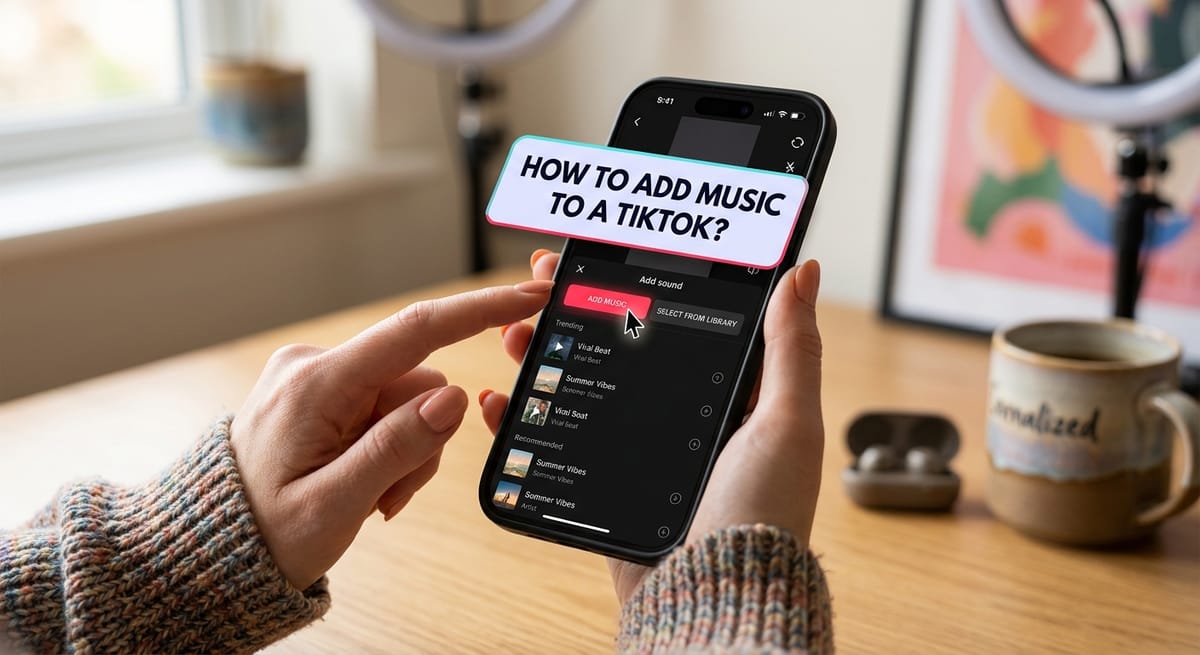
Scroll TikTok for a minute and you notice the sound before the picture. A catchy first bar stops the thumb. A good track then keeps people watching long enough for the app to push your clip to more feeds.
Knowing how to add music to a TikTok comes down to two routes. Pick a song from the in-app library, or bake your own audio into the edit before you upload. Each has trade-offs, and one carries copyright risk.
How to Add Music to a TikTok in 7 Steps
The in-app library is the fastest route. The steps are the same on iPhone and Android.
Step 1: Open TikTok and Tap the Plus Icon
Launch the app and press the '+' at the bottom of the screen. Record a new clip, or upload one from your gallery.
Step 2: Tap "Add Sound"
The button sits at the top of the camera screen. Choosing a song before you film lets you time cuts and moves to the beat.
Step 3: Search or Browse the Sound Library
The library opens on a Recommended list of trending audio. Know what you want? Type the song, artist, or viral clip name into the search bar.
Search carries weight on TikTok. TTS Vibes reports that 64% of US Gen Z respondents have used TikTok as a search engine, and sounds appear in those results.
Step 4: Preview the Track
Tap a song's thumbnail to hear it. Check the tempo and mood against your footage before you commit.
Step 5: Trim the Audio
Tap the scissors icon to open the waveform. Drag it until the part you want, maybe a beat drop or the hook, lines up with the start of your clip.
Step 6: Balance the Volume
Tap Volume to set the music against your clip's original sound. Untick Original Sound if you want the song alone.
Want narration on top? Record it with the Voice tool while editing, or generate a text-to-speech narrator track and drop it into your edit.
Step 7: Add a Caption and Post
Press Next. Write a caption, add hashtags, and choose who can see the video. Then publish.
How to Add Your Own Music to a TikTok
TikTok won't let you upload an audio file straight into its sound library. Your track has to sit inside the video before it reaches the app.
Upload a Video With the Music Already Edited In
Build the soundtrack in an editor such as CapCut, iMovie, or Premiere Rush. Export the finished file with the audio embedded.
Open TikTok, tap '+', and choose Upload instead of Record. Pick the file from your gallery. One post can hold several clips. Press Next, add a caption, publish.
You get finer control over timing this way. The same cut also works on YouTube Shorts and Instagram Reels, where in-app TikTok songs rarely carry over.
TikTok may ask for a Music Usage Confirmation at upload. That's a self-declaration, not a clearance, so keep your licence close in case a claim shows up later.
Turn Your Original Audio Into a Sound
Anything original you post becomes a Sound other creators can borrow. Hold the red button to record live, or upload a finished clip. TikTok creates the Sound by itself.
Some creators start with a short jingle from a singing voice generator, post it, and let reuse carry it across the app.
Can You Use Any Song on TikTok?
Yes, provided you have permission. Tracks in TikTok's library are licensed for use on the platform. Outside music needs its own licence.
The library has limits. Labels can pull songs at any time, and posts that used them go silent. That happened in early 2024, when TikTok and Universal Music Group failed to agree terms. UMG withdrew its catalogue, and millions of videos lost audio overnight.
Business accounts face a tighter rule. They see the Commercial Music Library, a smaller set cleared for brand use. Song access also shifts by country, which matters when your viewers sit in several markets at once.
Royalty-free catalogues like Uppbeat sidestep most of this. Downloads are free, and one soundtrack can run on every platform you post to.
Tips for Choosing Music for TikTok Videos
TikTok began life as Musical.ly, so audio sits close to how it ranks posts. Longer viewing tells the algorithm a clip deserves more feeds. According to TTS Vibes data on TikTok watch time per user, storytelling videos recorded 38% higher watch time than standard content.
Set a mood. Jay Croes turns a party scene sinister by swapping in eerie audio.
Back the story. The McFarlands pair old fairground organ music with their dad's cruise antics, and the comic timing lands harder for it.
Place the viewer. Zach King uses Parisian jazz to put you in France. Luau strings do the same job for Hawaii.
Build a calling card. Emily Zugay's jazz picks flag her tongue-in-cheek logo makeovers within seconds.
Ride a trend. Brookie and Jessie joined the Apple dance set to Charli XCX's song and passed 15 million views, one of their biggest posts of 2024.
Keep speech on top. When you talk over music, drop the track low so every word stays clear. A storyteller-style voiceover sits best over something sparse, like soft piano.
Is Learning How to Add Music to a TikTok Worth It?
Sound decides whether a viewer stays or swipes. Trending songs help discovery, but they can vanish without warning.
Licensed audio you own stays put and travels to other apps. A mix works well: library hits for trends, royalty-free tracks for posts you want to keep.
FAQs
Why can't I add music to my TikTok?
The song may be blocked in your region, pulled by its label, or unavailable on a Business account. Updating the app, switching to a Personal account, or picking another track fixes most cases.
How do I add music to a TikTok after recording?
Tap Add Sound at the top of the editing screen once you record or upload. Pick a track, trim it with the scissors icon, set the volume, then press Next to post.
Can I add music to a TikTok photo slideshow?
Yes. Select several photos after tapping '+', then tap Add Sound in the editor. TikTok suggests tracks for the slideshow, or you can search for a specific song.
Why do Reddit users say their TikTok sound got muted?
Reddit threads point to label removals and copyright claims. When a rights holder pulls a song from TikTok's library, videos using it lose audio. Licensed or royalty-free tracks avoid that problem.
Does adding music in CapCut bypass TikTok copyright checks, according to Reddit?
No. Reddit users report that TikTok still detects copyrighted songs embedded through CapCut and can mute or restrict the video. Embedding works safely with music you have licensed.