
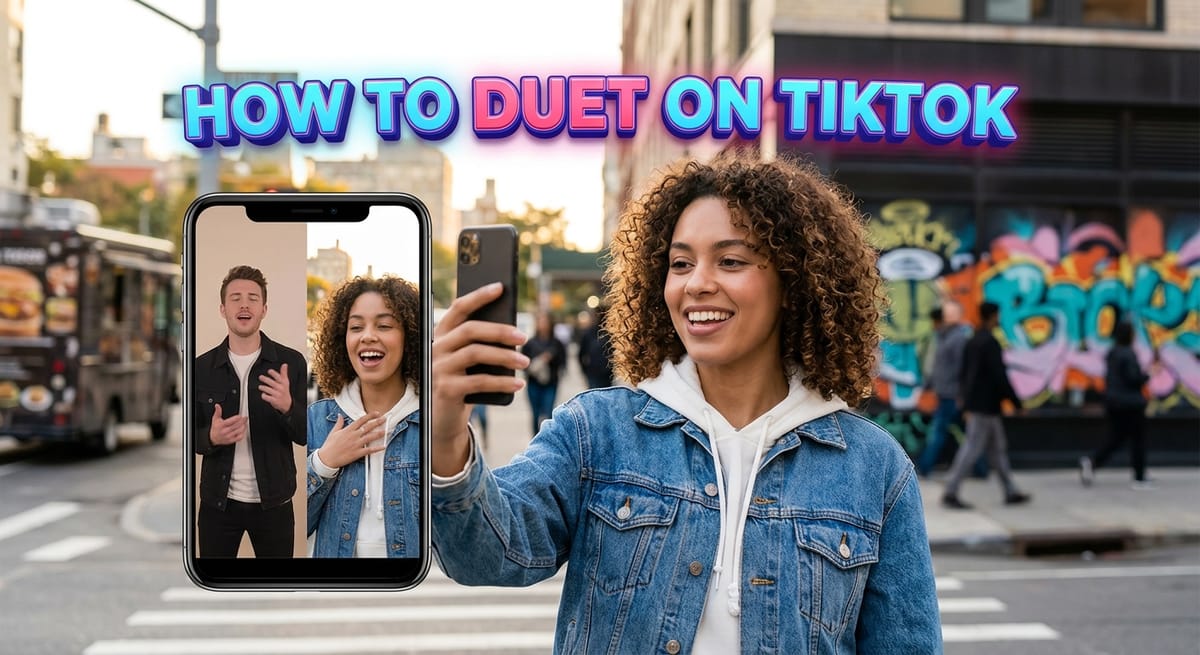
Pairing your camera with somebody else’s clip is one of the oldest habits on the app, and it still works. Below is the short version of how to duet on TikTok, along with the two features people keep mixing it up with.
What a TikTok Duet Actually Is
A Duet publishes a video that already exists on the app, untouched and complete, inside a two-panel frame.
Beside it sits new footage shot by you. That extra panel can answer the first creator, or it can work as a team-up with them.
How to Duet on TikTok in Nine Steps
- Open the clip you want to pair with.
- Tap the arrow at the lower right corner of your screen, marked Share.
- Choose Duet. Some accounts switch this off, and when a clip is blocked the icon looks faded and will not respond.
- Tap the red button and start filming. While filming you can slow the clip down or speed it up, rearrange how your panel sits against theirs, and apply effects or filters.
- Tap the pink tick sitting near the lower edge.
- Polish the result. Type words on screen, drop in stickers, add effects, decide who may watch, and raise or lower the sound.
- Press Next once the edit looks right.
- Write a description, tag a place, and check the upload options. This screen also decides whether other people may pair their camera with your version.
- Press Post.
| Screen | Button you need | What it does |
|---|---|---|
| Video page | Arrow marked Share | Opens the sharing tray |
| Sharing tray | Duet | Starts the two-panel recorder |
| Recorder | Red dot | Films your panel |
| Recorder | Pink tick | Ends filming and opens the editor |
| Final screen | Post | Publishes the clip |
If your panel looks squashed or cropped, check the correct TikTok video dimensions before filming again.
Why Creators Bother Learning How to Duet on TikTok
Dueting is a way of replying to material you find while scrolling. It republishes another account’s clip, or one of your older uploads, and gives you room beside it for something new.
Most people film their reaction, enter a trending challenge, or talk over the footage as it plays. If nothing you post seems to travel, it helps to know why some uploads stall at zero views, and whether search-friendly captions would fix it.
Duet or Stitch: How to Duet on TikTok Without Confusing the Two
| Duet | Stitch | |
|---|---|---|
| Layout | Two panels playing together | One clip after the other |
| How much of the source is used | All of it | Only a brief cut of it |
| Where the fresh clip sits | Alongside | Afterwards |
Making a Stitch Instead
Open the clip you want, then tap Share in the column on the right. Select Stitch. Mark the section you plan to borrow. Adjust your camera preferences in the panel beside it, then film your part.
Duet or Repost: Two Different Buttons on TikTok
| Duet | Repost | |
|---|---|---|
| New footage from you | Yes, in a second panel | None |
| Changes to the source clip | None | None |
| Who sees it | Anyone the upload settings allow | The people following you |
A Repost pushes somebody else’s upload out through your account so your followers see it. Nothing gets trimmed and nothing gets filmed.
Sending a Repost
Locate an upload you like. Tap Share in the column on the right. Repost appears among the choices there.
How to Duet on TikTok Using an Older Clip of Yours
Plenty of creators pair their camera with their own back catalogue. It suits news about something you covered months ago, or laughing at footage you shot long before.
Open the older upload, tap the three dots in the column on the right, and choose Duet. Should that option be missing, the privacy controls on your account may be blocking it. Those controls sit behind the same three dots, and anyone tightening things up can follow this guide to making a TikTok account private.
Duets pull in replies, so the comment section can get loud. TikTok lets you screen out unwanted comments, and anything worse than rude can be reported to moderators.
One more habit worth building: watch what happens after you publish. The numbers tell you which pairings landed, and reading your TikTok analytics properly turns that into your next post. Saving a clean copy first through a TikTok story downloader also helps if you plan to repurpose the Duet elsewhere.
FAQs
Why is the Duet button greyed out?
The original creator switched Duets off for that video, or their account is private. Greyed-out buttons cannot be forced. Find a different clip, or ask the creator to enable Duets on their upload.
Can you Duet on TikTok without posting it?
Yes. On the final screen, set the audience to Only me before tapping Post. The Duet saves to your profile privately, so nobody else sees it unless you change that setting later.
How do I turn Duets on for my own videos?
Open Settings and Privacy, tap Privacy, then Duet, and choose Everyone. You can also change it per video from the three dots on that upload before or after posting.
Does a Duet notify the original creator?
Yes. TikTok sends the creator a notification when someone Duets their video, and the Duet links back to the original clip so their audience can find the source.
How long can a TikTok Duet be?
A Duet runs the full length of the source video, up to three minutes. Longer originals cannot be Dueted, so creators use Stitch for those clips instead.