How to Save a Sound on TikTok?

Maxime Dupré
9/14/2026
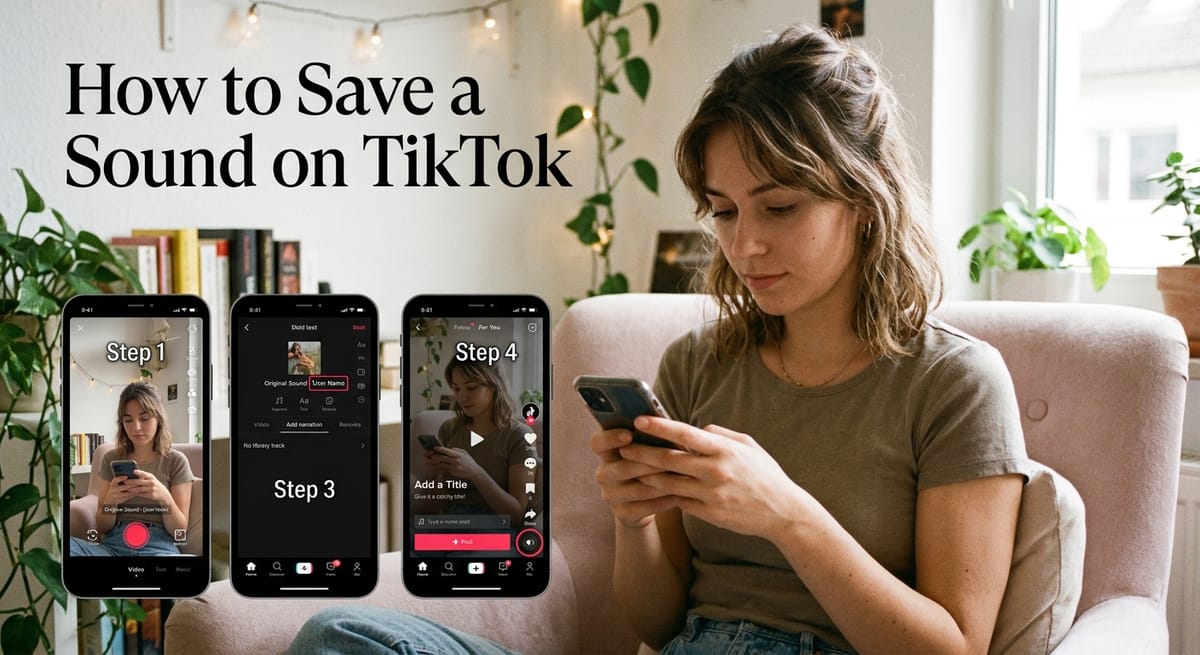
TikTok turns the audio from every clip you post into a reusable sound, but only if you publish it the right way. Pick a track from the music library and your own recording gets swapped out. Below is how to save a sound on TikTok from a fresh recording or an existing file, how to keep the video hidden while the audio stays live, and how to title it so people can find it.
Why saving an original sound on TikTok pays off
Every video that borrows your audio links back to your profile. If the clip takes off, that link travels with it.
Musicians and podcasters use this to become recognisable. Trending audio is often the main reason a clip lands on the For You Page at all.
Uploads that never travel usually have a different problem. This breakdown of why TikToks sit at zero views covers the usual causes.
How to save a sound on TikTok while filming
Recording inside the app is the shortest path. TikTok stores your voice or ambient audio as a sound the moment the clip goes live.
Step 1: Open the camera
Launch TikTok and press the plus symbol. Record with the built-in camera and microphone.
Step 2: Add narration if you want it
Open the voice options in the side menu for a voiceover or an effect. If you would rather not use your own voice, these text-to-speech and cloning tools produce clean narration in a few minutes.
Step 3: Skip the music library
This is the step people miss. Choosing a track from the library replaces what you captured. Leave it empty.
Step 4: Post, then name the sound
Hit next and publish. Once the clip is live, tap the rotating disc at the lower right of the video. From there you can title the audio and keep it.
How to save a sound on TikTok from an audio file
Already have a track, a voice memo, or a screen recording? Bring it in from your phone.
Step 1: Get the file onto your device
Record or screen-capture the audio. Any clip in your camera roll will work.
Step 2: Upload and trim
Press upload inside the editor and choose the file. Trim it so the audio starts and stops where you need. Loop-ready beats run about seven to ten seconds and repeat without a seam, which keeps people watching longer.
Step 3: Set visibility and publish
On the posting page, set the viewer setting to “only me” if you only want the audio and not the video. Publish, open the clip from your private list, tap the sound, and give it a name.
Can you save a sound on TikTok without posting publicly?
Yes. A private upload still stores the audio. The video stays hidden from everyone but you, while the sound exists in the app under your account.
One thing to check: a private sound is not searchable by others. Switch the clip to public later if you want people to use it. Account-level settings work differently from per-video ones, and this guide to making a TikTok account private explains the split.
TikTok sound styles that spread in 2026
Audio tastes shift within months. Five formats fill the feed this year.
ASMR storytelling pairs soft whispers and crisp ambient noise with a personal story. One AI-generated account in this style reached nearly 200,000 followers in ten days, according to reporting on the account’s growth. Creators without a whisper-friendly microphone often lean on an ASMR voice generator instead.
Vibe shifts are moody, synth-led tracks behind transition clips and calm montages. Nostalgic mashups take sped-up or slowed early 2000s songs, add reverb, and blend in a fresh beat.
Loop-ready beats stretch watch time through seamless repeats. POV audio is relatable spoken lines people lip-sync to their own situation. A fuller rundown sits in this look at what is trending with TikTok voices in 2026.
Mistakes that stop a saved TikTok sound from spreading
Audio does most of the work in a short clip, yet many creators treat it last.
Unlicensed music on commercial posts brings a legal flag or a muted clip. A hook that arrives late loses viewers before the memorable bit plays. Loud backing music that drowns the speech reads as a bad mix.
A rough loop point, where the end jumps into the start, kills replays. Audio that is too specific to your situation leaves no room for others to remix it. Jumping on a sound past its peak looks dated.
Getting people to reuse your TikTok sound
Nothing guarantees a hit, but a few choices raise the odds. Cut hiss and stray noise from the take. Keep the clip brief and snappy so people replay it. Make it broad enough that a stranger can fit it to their own life.
Give it a plain, descriptive title built from words people search. The same logic behind TikTok SEO in 2026 applies to sound names. Post on a steady schedule so followers know when to come back.
How to rename a sound on TikTok after posting
You can change the title once the clip is live, though usually only once. Tap the rotating disc on your video, then the pencil icon beside the sound name.
FAQs
How do you save a sound on TikTok?
Post a video using your own recording or an uploaded audio file, without picking a library track. Once live, tap the rotating disc at the lower right, then title and keep the sound.
Why can’t I save sounds on TikTok?
The save option disappears when the audio is a licensed library track, the original poster restricted reuse, or the sound was removed. Region limits and outdated app versions also hide the button.
How do I save a TikTok sound to my camera roll?
TikTok has no direct audio download. Save the video to your device through the share menu, then use a video-to-audio converter or screen recording to pull the sound out.
What do Reddit users say about saving TikTok sounds privately?
Reddit threads on r/Tiktokhelp consistently confirm the private-upload method works: post the clip set to “only me”, and the audio is stored under your account without anyone seeing the video.
Can you rename a TikTok sound, according to Reddit?
Yes. Reddit users report the rename option works once, from the pencil icon beside the sound name on your own clip. After that first change the title locks, so pick a searchable name.