How to Recover a Deleted TikTok Video?

Maxime Dupré
10/2/2026
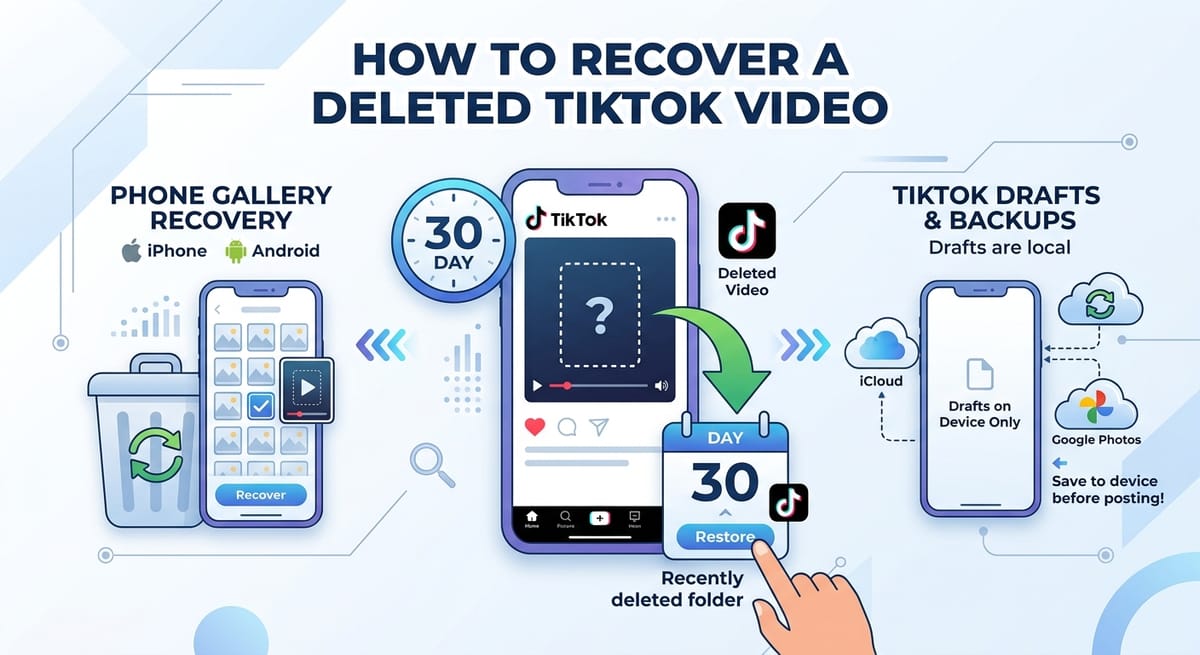
Deleted a TikTok by mistake? You have 30 days. TikTok holds removed posts in a Recently deleted folder for that long, and most phone galleries keep deleted clips for the same stretch.
Drafts work differently. They live on the phone that made them, so an uninstall can wipe them out. Here is how to recover a deleted TikTok video from each place a copy might still exist, fastest fix first.
Is There a Recycle Bin on TikTok? Yes, for 30 Days
Yes. TikTok moves a deleted post into a Recently deleted folder instead of erasing it on the spot. You get 30 days to put it back on your profile. After that, the post is gone for good.
To restore a deleted TikTok video in the app:
- Open TikTok and tap Profile.
- Tap the three-line menu in the top right corner.
- Choose Settings and privacy.
- Open Activity center, then Recently deleted.
- Pick the video and tap Restore.
The post returns to your profile. Each item in the folder shows how many days it has left, so check the count before you wait on anything.
Recently Deleted Missing From Activity Center?
Some creators say the folder has moved or vanished from Activity center in their version of the app. Others find it under Manage posts in TikTok Studio, the same hub used to schedule a TikTok post.
Update TikTok first. If the folder still won't show, file a request through Settings and privacy, then Report a problem.
One limit applies no matter where the folder sits. Videos removed for breaking Community Guidelines, or taken down through a deletion request, can't be restored this way.
Your Odds to Recover a Deleted TikTok Video, by Clip Type
Where the file lived before it disappeared decides what you can do. The table covers the four common cases.
| Clip type | Where a copy may exist | Can you get it back? |
|---|---|---|
| Posted video, deleted under 30 days ago | TikTok's Recently deleted folder | Yes, restore it in the app |
| Posted video, deleted over 30 days ago | Your gallery, if Save to device was on | Only from a phone or cloud copy |
| Draft | The phone that recorded it | Yes, unless the app was removed or the account moved phones |
| Downloaded clip | Gallery trash or a cloud backup | Yes, while it sits in trash or backup |
Where Deleted TikTok Clips Hide on iPhone and Android
If the in-app route fails, check the phone itself. TikTok may have written a copy to your camera roll when you posted, and that file has its own trash folder.
iPhone: Photos, Then Recently Deleted
Open Photos, tap Albums, and scroll to Recently Deleted. Apple keeps removed videos there for up to 30 days. Select the clip and tap Recover.
Android: Gallery Trash and Google Photos
Most Android gallery apps have a Recycle bin or Trash folder. Google Photos keeps its own under Collections, then Trash.
Watch the clock here. Google Photos now clears trash after 30 days for backed-up and local items alike. Backed-up media used to get 60 days, and the shorter window reached users in September 2026.
The Heart Tab on Your TikTok Profile
Tap Profile, then the heart icon to open your liked videos. If the lost clip still plays there, open the share menu and choose Save video.
This works only while the post is live. For a public Story that hasn't expired, a TikTok story downloader can pull a copy before it disappears.
Recover a Deleted TikTok Draft? You Need a Local Copy
Drafts never reach TikTok's servers. TikTok's help center says drafts sit on the device and can vanish if you reinstall the app or move the account to a different phone.
Open your gallery and look for a TikTok album. A draft shows up there only if you saved it earlier. The private-post method in this guide on how to save a TikTok draft to your camera roll creates that copy.
No local file and no backup? Then the draft can't come back.
Edited the Clip on a Computer? Check the Recycle Bin or Trash
Creators who cut videos on a desktop have one more place to search. Windows sends deleted files to the Recycle Bin. Right-click the clip and choose Restore.
On a Mac, open Trash from the Dock and pick Put Back. Files stay there until you empty it, unless you set Finder to clear Trash after 30 days.
Mass deletes cause many of these losses. A steady Mac storage cleanup routine beats clearing gigabytes in a panic.
Are Deleted TikTok Videos Gone Forever After 30 Days?
Posted videos mostly are. When the 30-day window closes, TikTok erases the post, and Recently deleted can't bring it back.
Two options remain. First, contact TikTok through Settings and privacy, then Report a problem. List the account, the upload date, and the caption. Replies can take a day or more, and a restore isn't promised.
Second, try recovery software such as Wondershare Recoverit, which scans phone or PC storage for deleted files. Stop saving new photos and videos first. Fresh data can overwrite the space the old clip used.
Habits That Keep a TikTok Video From Vanishing Again
Turn on Save to device before you post. TikTok then writes a copy to your gallery that survives any in-app deletion.
Back up the camera roll to iCloud or Google Photos. Store master files for your best clips off the platform as well, a point covered in this look at why creators need a home base outside TikTok.
Move drafts into your gallery before you delete TikTok or switch phones. That single step prevents most draft losses.
Guard the login too. A hijacked account can wipe a full profile in minutes, so run through these account security steps for creators.
Phishing links and fake brand deals rank among the digital risks creators face in 2026, and both can end with lost videos.
FAQs
What happens if I delete a video on TikTok?
The video leaves your profile and moves to Recently deleted in Activity center. You can restore it for 30 days. After that, TikTok erases it and it can't be recovered in the app.
How do I bring back a deleted TikTok video after 30 days?
Look for a copy outside TikTok. Check your gallery, iCloud, Google Photos, or a computer backup. The in-app restore stops at 30 days, and TikTok support can't promise a recovery.
Can you recover deleted TikTok drafts?
Only if a copy exists outside the app. TikTok stores drafts on the device, so reinstalling or switching phones erases them. Check the TikTok album in your gallery or a cloud backup.
How to recover a deleted TikTok video on Android?
Act within 30 days. Open TikTok's Recently deleted folder first. Then check your gallery's Recycle bin and Google Photos Trash, which now clears all items after 30 days.
Can Reddit's r/lostmedia help find a deleted TikTok video?
Sometimes, for public clips. Reddit users on r/lostmedia hunt for re-uploads and archived copies, but they have no access to TikTok's servers. If nobody saved or reposted the video, Reddit can't recover it.