How to Turn Off Comments on TikTok?

Maxime Dupré
9/30/2026
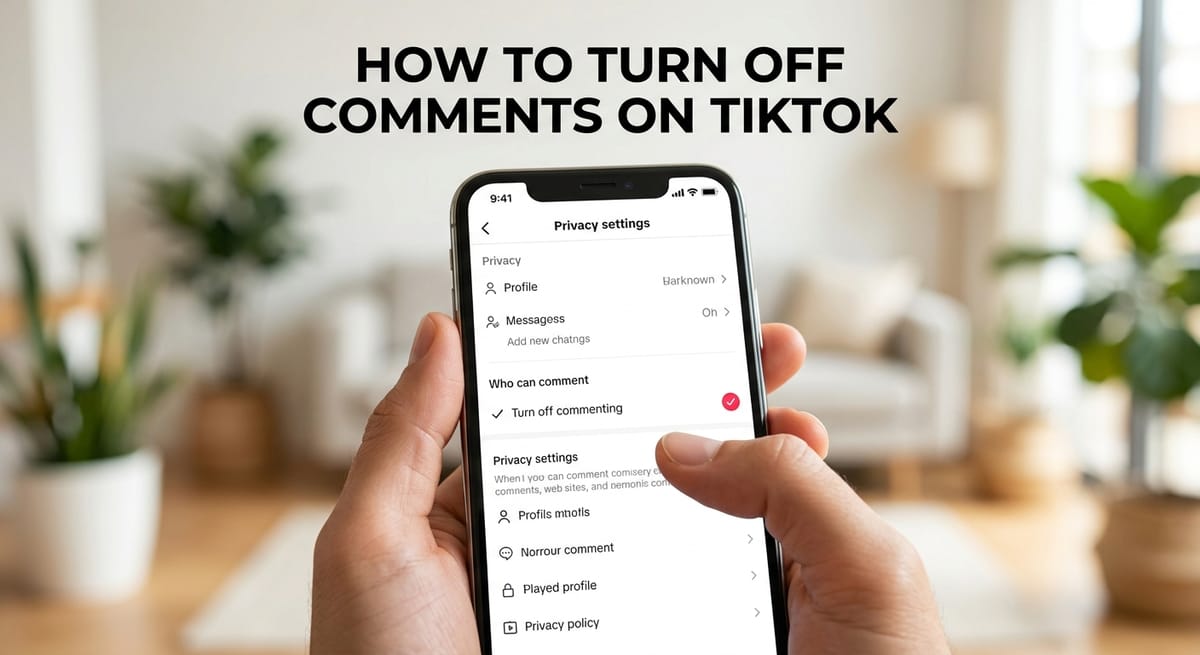
Turning off comments on TikTok takes four taps. Open the video, tap the three dots, pick Privacy settings, and set Who can comment to Turn off commenting.
TikTok also lets creators close comments before posting or make "off" the default for new uploads. The switch hides old comments instead of deleting them. It carries a cost, though. Moderation guides estimate that clips without comments reach 40 to 60% fewer viewers.
How to Turn Off Comments on TikTok for a Video You Already Posted
Posted videos are changed one at a time from your profile. The steps match on iPhone and Android.
- Tap Profile at the bottom right and open the video.
- Tap the three dots (⋯) on the right side of the screen.
- Select Privacy settings, then Who can comment.
- Choose Turn off commenting. TikTok saves the change on its own.
Go back to the video to check. The thread should now read "Comments are turned off."
Some app builds show an Allow comments toggle in place of the list. Switching that toggle off does the same job.
Switching Off TikTok Comments Before You Hit Post
- Tap the plus (+) button, record or upload your clip, and tap Next.
- Find Who can comment on the post screen. It sits near the top.
- Pick Turn off commenting from the three choices. Everyone, Friends, and Turn off commenting.
- Add your caption and hashtags, then tap Post.
Your stats stay visible. Views, likes, shares and watch time still record as normal.
Make "Turn Off Commenting" Your Default in TikTok Settings
Tap Profile, then the three lines (☰) at the top right, then Settings and privacy. Open Privacy, scroll to Comments, tap Who can comment on your videos, and select Turn off commenting.
This default covers future uploads. TikTok has no bulk switch for videos already on your profile, so older clips still need the per-video steps.
Does Turning Off Comments on TikTok Hurt Your Views?
In most cases, yes. Comments rank among the strongest signals TikTok's recommendation system reads, and TikTok says they help clips perform.
The For You Page favors videos that start conversations. Our breakdown of how TikTok's ranking signals have shifted since 2024 shows why engagement weight matters for reach.
Moderation guides put the reach loss at 40 to 60%. Watch completion drops too, since many viewers open the thread mid-clip. Shares fall because nobody can tag a friend below the video.
What you give up depends on account size. Socialinsider's 2026 TikTok Benchmarks recorded 8 comments per post in 2025 for accounts with 1,000 to 5,000 followers. Accounts with 100,000 to 1 million followers averaged 100.
Comments are already the smallest public signal at every tier, as the TikTok comment-to-view ratio data shows. Shutting them off removes a metric that is scarce to begin with.
When a Full Shutdown Still Makes Sense
A brand caught in a public scandal can pause comments for 24 to 48 hours. Recalls, policy updates and posts where replies could create legal trouble also qualify.
Organized abuse is another case, mainly when volume outruns manual moderation. If the clip itself is the problem, you may be better off learning how to remove a TikTok video for good.
Keyword Filters. Limit TikTok Comments Without Turning Them Off
Filters screen out junk and leave the thread open, so reach holds. Go to Settings → Privacy → Comments → Filter comments, switch on Filter keywords, and add up to 200 terms.
Spam phrases worth adding include "link in bio," "check my bio," "DM for promo," "cash app" and "make money fast." Then turn on Filter spam and offensive comments.
The Friends setting is a middle ground. It limits comments to followers you follow back. For repeat trolls, you can block the account straight from its comment without visiting the profile.
Can You Turn Off Comments on a TikTok LIVE?
Not with the video setting. LIVE streams run on their own controls, and the options there differ by app version and region.
Every host can filter keywords, mute or block viewers, and name moderators during the stream. Creators still working toward the feature can check the follower count TikTok requires to go LIVE.
Why Can't I Turn Off Comments on TikTok?
Most failures trace back to one of four causes.
| Problem | Likely cause | Fix |
|---|---|---|
| No comment option | Old app version, or the clip isn't yours | Update the app. The setting shows on your own posts only. |
| Comments still visible | Cache glitch or unsaved choice | Force close the app, reopen, and recheck Who can comment. |
| Default not applying | Setting reset after an update | Recheck it under Privacy, or set each clip by hand. |
| Views dropped | Lost engagement signals | Reopen comments and rely on filters. |
Turning TikTok Comments Back On and What Returns
For one video, tap ⋯ → Privacy settings → Who can comment → Everyone or Friends. Hidden comments come back unchanged.
TikTok hides old comments from everyone while the thread is closed, the creator included. Instagram and Facebook keep them visible. Nothing gets erased on TikTok, but comments deleted earlier won't return. If the thread looks empty, wait 5 to 10 minutes for it to sync.
After a crisis, reopen late at night or early in the morning, when fewer angry replies pour in. Pin one supportive comment first, though the data on pinned comment engagement shows no study has measured a lift from pins.
Then compare reach in Analytics under Profile → ☰ → Creator tools. Creators who read that data closely are covered in our TikTok creator analytics adoption figures.
If views stay flat once comments are back, the fix sits in the content itself. These tactics for lifting TikTok views cover hooks, timing and captions.
FAQs
Can you turn off comments on all TikTok videos at once?
No. TikTok has no bulk switch for posted videos. The default under Privacy → Comments applies to future uploads, so each existing video must be changed one by one.
What happens to old comments when you turn off comments on TikTok?
TikTok hides them from everyone, including the creator, but does not delete them. Switching comments back on restores the thread unchanged. Comments deleted earlier cannot return.
Do followers get notified when you turn off TikTok comments?
No. TikTok sends no alert to followers or past commenters. Viewers see "Comments are turned off" when they open that video's comment section.
Is the Reddit advice to use filters instead of turning off TikTok comments sound?
Yes. Keyword filters accept up to 200 terms and hide matching comments while the thread stays open, so the video keeps its engagement signals.
Can Reddit threads confirm how many views you lose after turning off TikTok comments?
No. No published study measures an exact figure. The 40 to 60% reach drop comes from moderation guides, so compare your own TikTok Analytics before and after the change.