
Every TikTok profile carries two labels. One is the handle, the one written with an @ in front of it. The other is the display name that people read beside your posts across the app.
The handle sits on your page and builds the web address for that page. Swap it, and the address people use to reach you shifts as well.
The Two Names Sitting on Your Profile
| Label | Written as | Where people see it |
|---|---|---|
| Handle | @yourhandle | Your page, plus the web address of that page |
| Display name | Plain text | Beside your posts everywhere in the app |
Want to edit the display name instead? TikTok explains that on its page about changing your nickname.
Steps for How to Change Your Username on TikTok
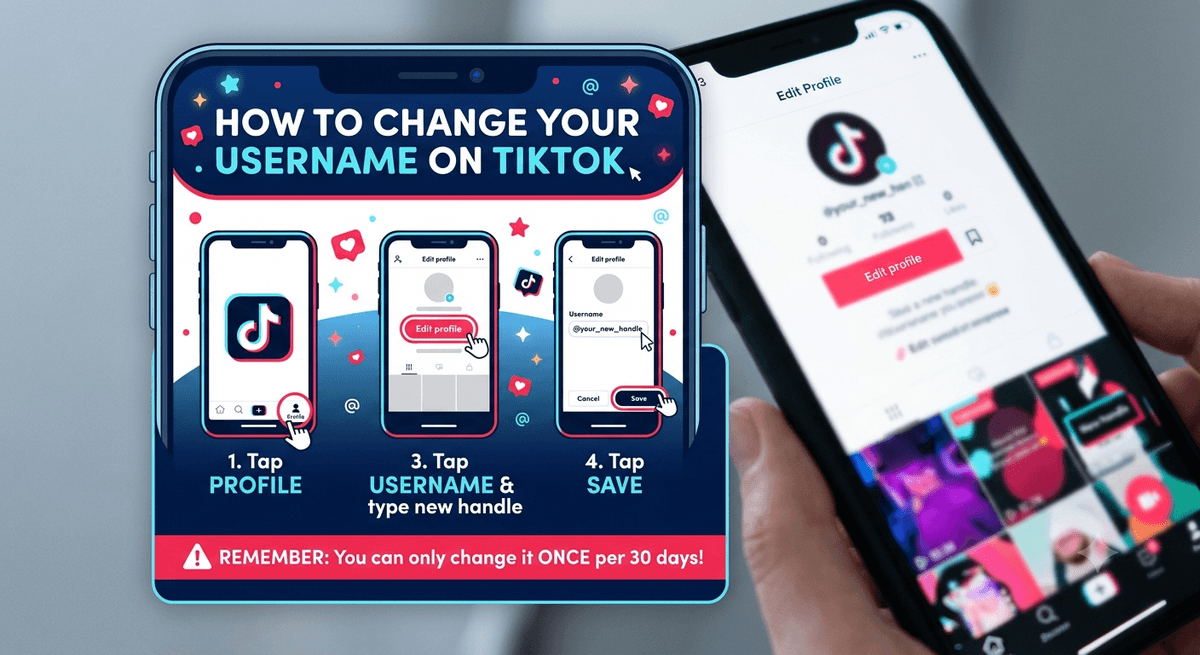
Four taps and you are done. Open the app first, then work through this:
| Step | What to tap |
|---|---|
| 1 | Profile, along the bottom bar |
| 2 | Edit profile |
| 3 | Username, then type the handle you want |
| 4 | Save |
That is the whole method. Nothing else needs setting up first. If you are still shaping your page for growth, it pairs well with sorting out why your clips get no views.
Rules That Apply When You Change Your Username on TikTok
A few limits sit behind the Save button. Read them before you commit to a new handle.
| Limit | What it means |
|---|---|
| Waiting period | One swap is allowed per 30 days |
| Letting go of a handle | Give one up and it stays off limits for a while, so no account can pick it up straight away |
| Web address | The address of your page updates along with the handle |
| Length | Between 2 and 24 characters |
| Allowed characters | Letters, digits, underscores and dots only. A dot cannot sit at the very end |
The 30-day gap catches people out. Pick something you can live with, because a second edit will have to wait a month.
Why the App Might Block Your New Handle
Not every choice will save. Two reasons cover it.
The first is availability. Someone may already hold the handle you typed. It might also belong to an account that was suspended or shut down, and those do not always open up right away.
The second reason involves your account itself. If you have been stopped from editing your profile, the field will not accept anything new.
Handles on Verified Accounts
A verified account works differently here. To edit the handle on one, read TikTok’s page on how to contact us and reach the team through it.
Before You Tap Save
Your old address stops working once the swap goes through. Anyone holding a link to your page will land nowhere, so it helps to share the fresh one afterwards. Followers who reach you through search or the app itself will still find you without any trouble.
Think about length too. A short handle is easier to type and easier to remember when someone mentions you. The cap sits at 24 characters, though few people need anywhere near that many.
Once the handle is settled, the rest of your page is worth a look. Creators who stream often can read up on going live with a friend, and anyone earning from gifts will want the rules on cashing out gifts.
Knowing how to change your username on TikTok takes under a minute of your time. The rules around it, mainly the monthly wait and the character limits, are what deserve a moment of thought first.