
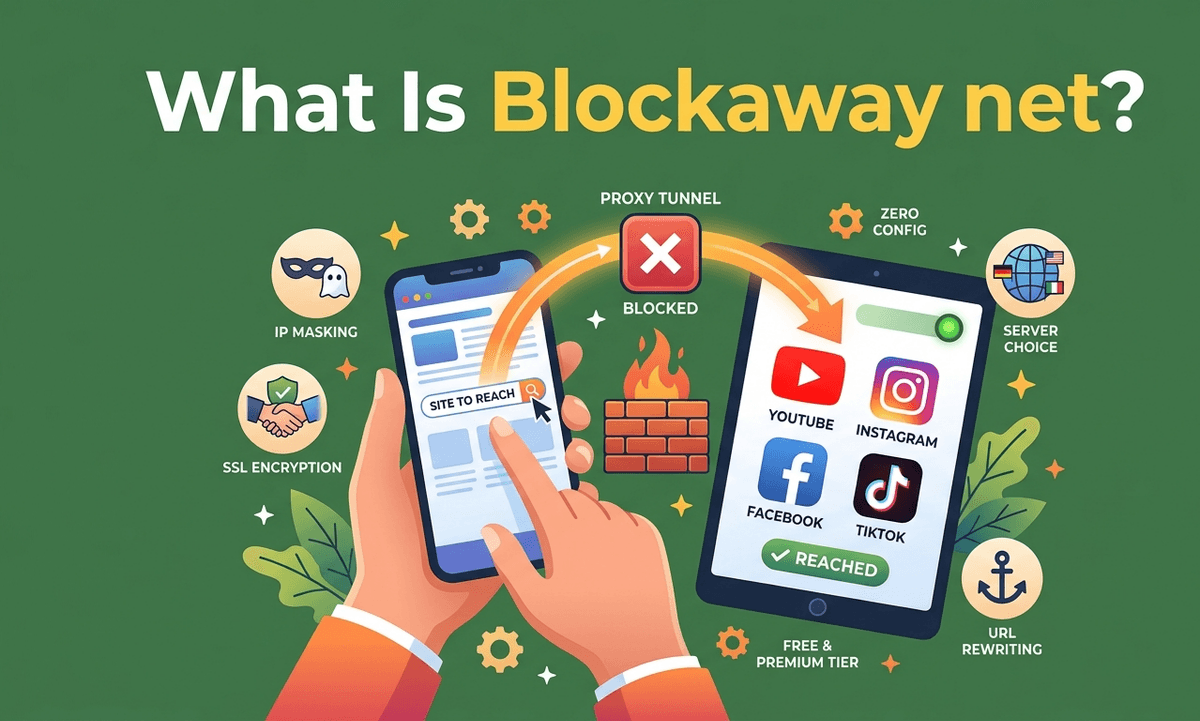
What Is Blockaway net?
blockaway.net is a browser-based web proxy that lets you reach websites your local network blocks. No account, no installation, no settings. Open a browser, enter a URL, and you're through. For a quick workaround when a school firewall cuts YouTube or an office router blocks social media, it works. What it costs you — in privacy, security, and reliability — is worth knowing before you use it.
What blockaway.net Is and How It Works
blockaway.net is a web proxy, not a VPN. A VPN encrypts all traffic across your device at the system level. blockaway.net only routes what happens inside your current browser session through its servers. Other apps on your device are unaffected. Open a separate tab without the proxy and your real IP is exposed again.
The service sits between your browser and the target website. The destination sees blockaway's IP address instead of yours. Your network administrator only sees a connection to blockaway.net, not where you actually went.
blockaway.net is operated by CroxyProxy, the company also behind CroxyProxy.com, YouTubeUnblocked.live, and several similar domains. They share the same underlying infrastructure and feature set.
How blockaway.net Handles Complex Sites Without Breaking Them
Older, simpler proxies break on modern websites. The issue is straightforward: raw HTML from any complex site contains hundreds of asset URLs pointing back to the original domain. If a proxy passes that HTML unchanged, the browser tries to contact those original addresses directly — which triggers the same block the proxy was supposed to bypass.
blockaway.net runs a URL rewriting engine. When it receives HTML from the target site, it replaces every internal link with a new URL that routes back through blockaway's servers. Scripts, stylesheets, images — all of it stays inside the proxy tunnel. That's why it handles YouTube and Facebook reasonably well compared to older tools.
blockaway.net Key Features
| Feature | What It Means |
|---|---|
| Zero configuration | Works in any browser with no install or account required |
| IP masking | Target websites see the proxy's IP, not yours |
| SSL encryption | Protects the connection between your browser and the proxy server |
| Server location choice | US or Europe servers to bypass geo-restrictions |
| URL rewriting engine | Keeps complex sites functional inside the proxy tunnel |
| Premium tier | $3.50/month removes ads, increases speed, adds more server locations |
How to Use blockaway.net
- Open your browser and go to blockaway.net
- Type the URL of the site you want to reach
- Select a server location — USA or Europe — if geo-access matters
- Click Go
No registration, no extension, no saved settings. Each session is independent. When you close the tab, the proxy session ends.
The Real Risks of Using blockaway.net as a Free Proxy
Logging is unclear
blockaway.net doesn't publish a verified no-logs policy. Free services pay for infrastructure one way or another — typically through ads or data. Assume your browsing activity could be recorded. Anyone accessing email, banking, or accounts with any real stakes through this proxy is taking unnecessary exposure.
This mirrors the same concern that applies to identifying phishing and unsafe sites — the difference between legitimate and deceptive services isn't always visible from the surface.
Ads and injected code
Free proxies show ads. Those ads come from low-quality networks that don't screen content carefully. In some cases the proxy itself injects additional code into pages you visit — code that can lead to malware, spyware, or redirect attempts.
Speed drops under load
Free servers are shared. During peak hours, congestion compounds with geographic latency. Video buffers and pages load slowly. It works for light browsing, not heavy streaming.
Browser fingerprinting remains visible
Your IP may be hidden, but device fingerprinting still exists. Screen size, OS, fonts, GPU data, and timezone remain exposed.
Shared IP risks
Free proxy IPs are often flagged by platforms, leading to CAPTCHAs, login issues, or temporary restrictions.
blockaway.net vs VPN
| Factor | Proxy | VPN |
|---|---|---|
| Coverage | Browser only | Entire device |
| Encryption | Partial | Full tunnel |
| Setup | None | App required |
| Anonymity | Basic | Stronger |
Who Should Use blockaway.net
It is suitable for quick access to blocked pages in low-risk situations. It is not suitable for sensitive logins or financial activity.
As with any third-party tool or service, the same caution applies as when evaluating unknown downloads like unverified software sources.
FAQs
Is blockaway.net safe to use?
It is safe for casual browsing but not for sensitive accounts or personal data.
Is blockaway.net a VPN?
No. It is a browser-based proxy only.
Does blockaway.net work with YouTube?
Yes, but performance depends on server load and location.
Who owns blockaway.net?
It is operated under CroxyProxy infrastructure.